 EEEN11202 course notes
3.1. Major operating systems
When your computer starts it will generally load an operating system. The operating system gives the basic interface for interacting with the computer. There are a number of major and widely used operating systems available.
Computer code can be cross-platform, meaning that it will work on any of the major operating systems. Alternatively, code may make use of features specific to one operating system and so only work on that particular operating system. Code can also be cross-compiled. This means one operating system may be used while writing the code, while the code itself actually runs on a different operating system.
3.1.1. Windows
Windows is a widely known and widely used operating system made by Microsoft. It is the most commonly used operating system for desktop/laptop like devices. It is based around a desktop, a start button, and a taskbar as shown in the figure below.
Pressing the start button brings up a list of programs that are available to run. Running programs are listed on the taskbar, allowing them to be switched between easily. The concept is that all of the different programs needed for a particular task are shown together on the taskbar. (For example, when writing a report, you might need Word to write the report, a web browser to look up information, a spreadsheet to look at results from an experiment, all at the same time.)
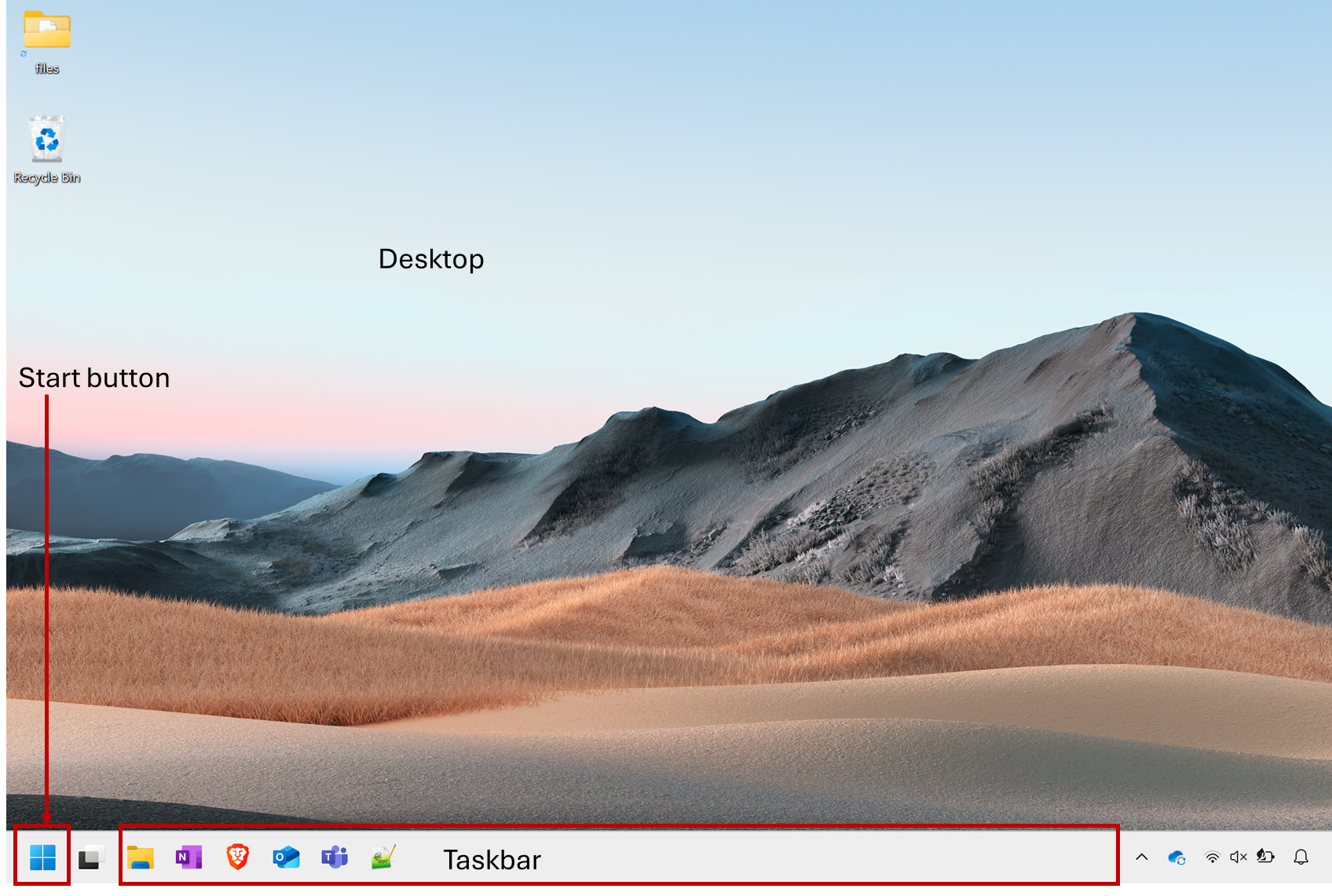
Screenshot of an example Windows desktop, software from Microsoft. See course copyright statement.
3.1.2. macOS
macOS is made by Apple, and can only run on Apple devices. It is the second most common operating system for desktop/laptop type devices. It is based around a desktop, with a dock which shows the commonly used programs and running programs. The concept is that all instances of a particular program are shown under that program’s icon in the dock. So all Word documents under the Word icon, all web sessions under the browser icon, and so on.
macOS is descended from a different operating system, known as BSD. In turn, BSD is descended from an operating system known as Unix. Linux (discussed below) also has its roots in Unix. Although there are a lot of differences today, this common ancestor operating system is why so many of the commands we’ll see in this course are the same for macOS/Linux, and something different for Windows.
3.1.3. Linux
Linux is really refers to a family of operating systems rather than an individual one. There are many different Linux distributions, each of which is a slightly different operating system. Ubuntu, Debian, and Red Hat are well known distributions, although there are many more.
Linux is generally open source and free to download and install. It is the least common of the major desktop/laptop operating systems, but is very widely used in high performance computing and in computer servers. It’s thus very common to encounter when programming. It’s also the underlying operating system present in Chromebooks.
Linux is extremely configurable, and there are many different distributions, and so it can look very different depending on which desktop environment is being used. The figure below is for Mint Linux (which is based upon Ubuntu, which in turn is based upon Debian). This interface is conceptually very similar to Windows, with a taskbar.
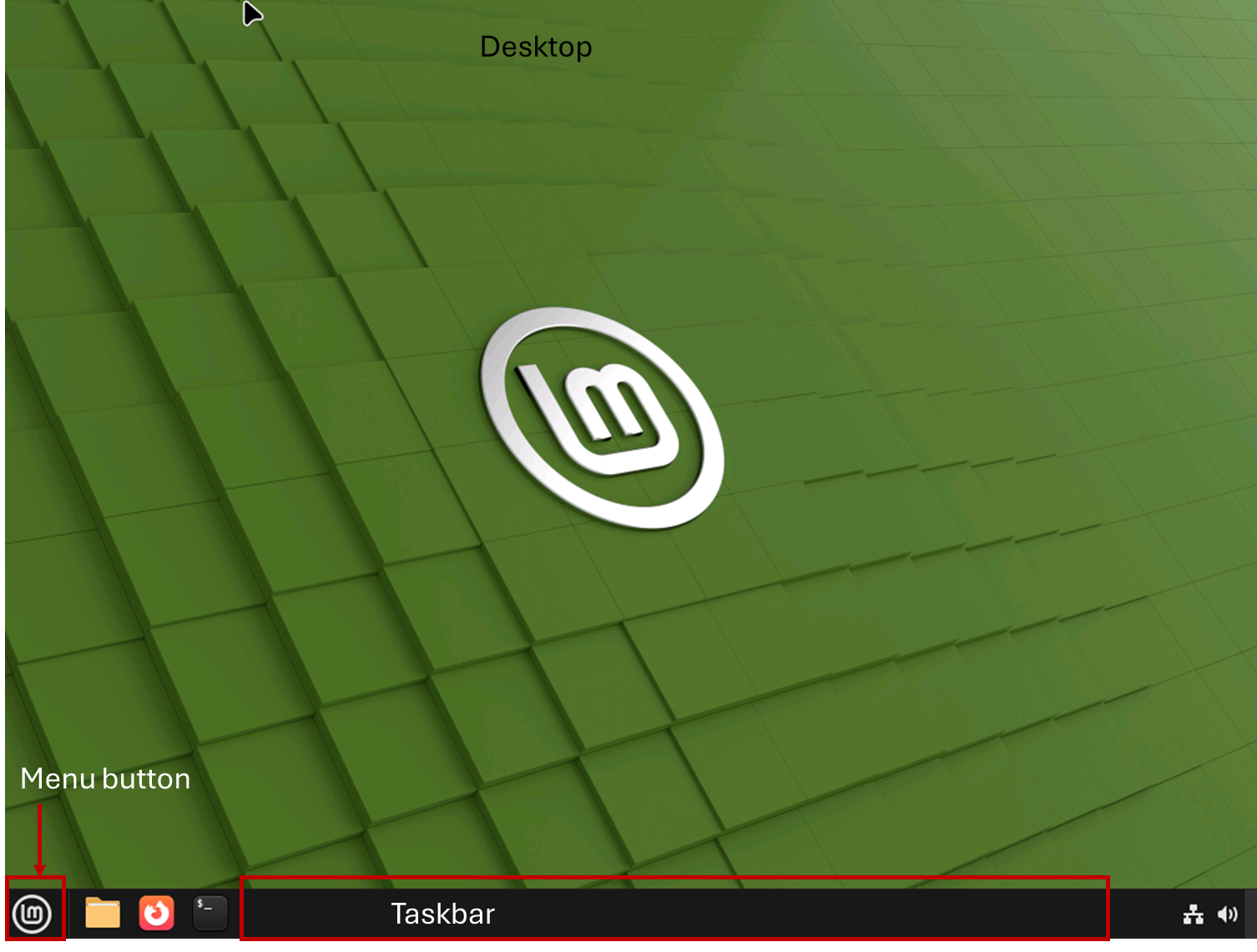
Screenshot of an example Linux desktop, software from Linux Mint.
This course is intended to be cross-platform. Apart from a few cases where the behavior is unavoidably different, it shouldn’t matter whether you are using Windows, macOS, or Linux. For Linux though, we will give instructions assuming a Debian based distribution. For a Red Hat based distribution (e.g. CentOS, Fedora, Rocky) the commands to install programs will be different. Our tools (the dockerfile, the autograder, and similar) use Ubuntu.
3.1.4. Real-time operating systems
The above operating systems are are complex, multi-tasking operating systems. They are optimized for having multiple programs running at the same time, and often have multiple activities running in the background.
There is also a class of operating system known as real-time operating systems (RTOS). These are used, mainly with more embedded platforms than a standard desktop/laptop type device, when there are time critical constraints present. They are relatively common for low power sensor nodes, and Internet-of-Things devices which have a fixed, limited, set of tasks to undertake and also need to be able to respond to external inputs in a guaranteed timely manner.
FreeRTOS and Zephyr are widely used examples. There is also Real-time Linux, for example Real-time Ubuntu.
We won’t make use of an ROTSs in this course, but mention them here for completeness. RTOSs can be very useful for the types of project undertaken by Electrical and Electronic Engineering students where power/size constraints mean a full desktop/laptop isn’t suitable, and where a full desktop-like operating system wouldn’t necessarily be fast enough to respond to user input in a timely manner due to background tasks also being run.
3.1.5. No operating system
If working with a low power micro-controller such as an STM32 or MSP430, rather than a desktop/laptop computer, you might find that no operating system is present. These kinds of platform can run an RTOS, or they can be set to just run a code file directly. For example, they might have code such as
int main(void) {
    while(1) {
        command1();
        command2();
        command3();
        ...
    }
    return 0;
}
The precise syntax of this isn’t important at the moment. The while{} loop will run continuously, executing command1(), then command2(), and then command3() (and any others which are present), before returning to the start and running command1() again, and so on. This make multi-tasking difficult, there’s no operating system to help manage doing more than one task at the same time. However, it is low overhead and simple for low complexity, low power, situations.