 EEEN11202 course notes
6.6.2.4.3.1. Text encoding
There are multiple different standards for how computers store and represent text.
6.6.2.4.3.1.1. ASCII
ASCII stands for the American Standard for Information Interchange. It is the oldest, and extremely common, standard for how letters and characters (e.g. punctuation) are represented as binary numbers.
We often refer to plain text, and by this we mean text represented by ASCII (or UTF-8, see below). ASCII is so common that it’s extremely unlikely you’ll encounter a computer system that’s in use today which wouldn’t be able to take ASCII text input and display the associated letters if you asked it to. It’s a very robust format to be working with.
ASCII uses a very simple encoding system. So simple that the full table is displayed at the bottom of this page. Each letter, and a number of other characters such as full stops, are given a binary number that represents them. (The binary number can of course also be represented in decimal form.) If the computer sees this number, and is asked to interpret it as a character, it’s the character that gets displayed. A table of ASCII characters and the numbers used to represent each character is given below. ASCII uses 7 bits to store a character, and so there are 128 possible characters that it can represent. Some of the early ones represent control signals for a computer, rather than letters.
6.6.2.4.3.1.2. Latin-I
While very robust, and recognized by essentially every computer, the big limitation of ASCII is that it basically assumes you are writing English, using the 26 letters of the English alphabet. It is not very inclusive, and does not allow characters from other languages to be used.
Latin-I was an updated version of ASCII which used 8 bits rather than 7 to represent each character. This allowed the character map to have numbers representing 256 characters rather than 128, and so it supports many character accents, as used in many European languages.
6.6.2.4.3.1.3. Unicode and UTF-8 (and similar)
Unicode and UTF-8 (and UTF-16 and UTF-32) are how plain text is represented in modern computer systems. You may still encounter some older computer systems in use which only recognize ASCII, but in general if you say plain text today, this would probably be assumed to be Unicode encoded in UTF-8. Your programming files are being written in plain text, most likely UFT-8 plain text, and VSCode shows you the encoding used for your text file at the bottom of the screen.
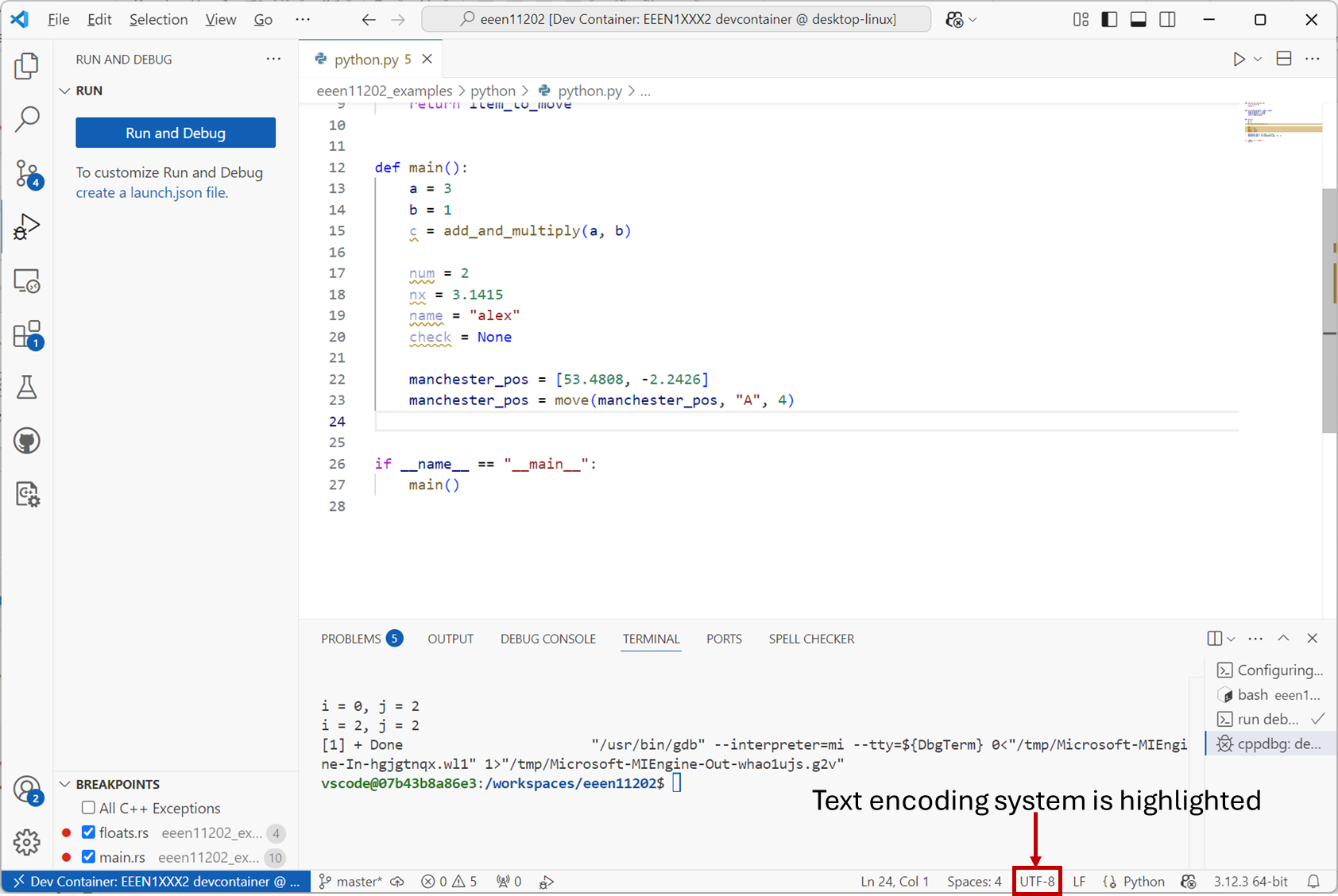
Screenshot of VSCode, software from Microsoft. See course copyright statement.
The encoding scheme, mapping letters to binary numbers computers can store, is more complicated with Unicode and UFT-8 and the details are not important here. The major benefit of UTF-8/16/32 based schemes is that essentially every character from any language can be represented. It is much more inclusive and should be the default.
The negative of UTF-8/16/32 based schemes is that there are lots of characters that look very similar. For example, ' and ’ are both characters for quotes, one is curved and one is straight. It’s easy to get the wrong one! Especially if copying and pasting between different programs and/or the Internet. In general, programming files expect a straight quote symbol '. You’ll get an error if you try and put ’ in your code.
This is just one example. You can get some very hard to spot errors in your text files with characters that look very similar, but are in fact different ones. Occasionally, switching the encoding to ASCII can be useful as it’s more limited character set limits what can be entered to the correct symbols.
6.6.2.4.3.1.4. Which should I use
Most modern files and programs will accept UTF-8. You shouldn’t need to worry about text encoding more this until you get to more advanced programming.
6.6.2.4.3.1.5. ASCII encoding table
The ASCII encoding table, where each letter is represented by a number, is given below. Some of the early ones represent control signals for a computer, rather than letters. (You won’t be asked to memorise this for the exam! It’s just an illustration of the encoding to help your understanding.)
Binary number |
Number as an integer |
Description |
Binary number |
Number as an integer |
Description |
Binary number |
Number as an integer |
Description |
|---|---|---|---|---|---|---|---|---|
0 |
0 |
Null |
101011 |
43 |
+ |
1010110 |
86 |
V |
1 |
1 |
Start of heading |
101100 |
44 |
, |
1010111 |
87 |
W |
10 |
2 |
Start of text |
101101 |
45 |
- |
1011000 |
88 |
X |
11 |
3 |
End of text |
101110 |
46 |
. |
1011001 |
89 |
Y |
100 |
4 |
End of transmission |
101111 |
47 |
/ |
1011010 |
90 |
Z |
101 |
5 |
Enquiry |
110000 |
48 |
0 |
1011011 |
91 |
[ |
110 |
6 |
Acknowledge |
110001 |
49 |
1 |
1011100 |
92 |
\ |
111 |
7 |
Bell, alert |
110010 |
50 |
2 |
1011101 |
93 |
] |
1000 |
8 |
Backspace |
110011 |
51 |
3 |
1011110 |
94 |
^ |
1001 |
9 |
Horizontal tab |
110100 |
52 |
4 |
1011111 |
95 |
_ |
1010 |
10 |
Line feed |
110101 |
53 |
5 |
1100000 |
96 |
` |
1011 |
11 |
Vertical tab |
110110 |
54 |
6 |
1100001 |
97 |
a |
1100 |
12 |
Form feed |
110111 |
55 |
7 |
1100010 |
98 |
b |
1101 |
13 |
Carriage return |
111000 |
56 |
8 |
1100011 |
99 |
c |
1110 |
14 |
Shift out |
111001 |
57 |
9 |
1100100 |
100 |
d |
1111 |
15 |
Shift in |
111010 |
58 |
: |
1100101 |
101 |
e |
10000 |
16 |
Data link escape |
111011 |
59 |
; |
1100110 |
102 |
f |
10001 |
17 |
Device control one |
111100 |
60 |
< |
1100111 |
103 |
g |
10010 |
18 |
Device control two |
111101 |
61 |
= |
1101000 |
104 |
h |
10011 |
19 |
Device control three |
111110 |
62 |
> |
1101001 |
105 |
i |
10100 |
20 |
Device control four |
111111 |
63 |
? |
1101010 |
106 |
j |
10101 |
21 |
Negative Acknowledge |
1000000 |
64 |
@ |
1101011 |
107 |
k |
10110 |
22 |
Synchronous idle |
1000001 |
65 |
A |
1101100 |
108 |
l |
10111 |
23 |
End of transmission block |
1000010 |
66 |
B |
1101101 |
109 |
m |
11000 |
24 |
Cancel |
1000011 |
67 |
C |
1101110 |
110 |
n |
11001 |
25 |
End of medium |
1000100 |
68 |
D |
1101111 |
111 |
o |
11010 |
26 |
Substitute |
1000101 |
69 |
E |
1110000 |
112 |
p |
11011 |
27 |
Escape |
1000110 |
70 |
F |
1110001 |
113 |
q |
11100 |
28 |
File separator |
1000111 |
71 |
G |
1110010 |
114 |
r |
11101 |
29 |
Group separator |
1001000 |
72 |
H |
1110011 |
115 |
s |
11110 |
30 |
Record separator |
1001001 |
73 |
I |
1110100 |
116 |
t |
11111 |
31 |
Unit separator |
1001010 |
74 |
J |
1110101 |
117 |
u |
100000 |
32 |
Space |
1001011 |
75 |
K |
1110110 |
118 |
v |
100001 |
33 |
! |
1001100 |
76 |
L |
1110111 |
119 |
w |
100010 |
34 |
“ |
1001101 |
77 |
M |
1111000 |
120 |
x |
100011 |
35 |
# |
1001110 |
78 |
N |
1111001 |
121 |
y |
100100 |
36 |
$ |
1001111 |
79 |
O |
1111010 |
122 |
z |
100101 |
37 |
% |
1010000 |
80 |
P |
1111011 |
123 |
{ |
100110 |
38 |
& |
1010001 |
81 |
Q |
1111100 |
124 |
| |
100111 |
39 |
‘ |
1010010 |
82 |
R |
1111101 |
125 |
} |
101000 |
40 |
( |
1010011 |
83 |
S |
1111110 |
126 |
~ |
101001 |
41 |
) |
1010100 |
84 |
T |
1111111 |
127 |
Delete |
101010 |
42 |
* |
1010101 |
85 |
U |