 EEEN11202 course notes
6.16. More advanced topics
This is an introductory course on programming and software development. It’s designed to take 200 hours to complete. Some people spend their entire careers on programming and software development! By the time you’ve spent several years programming you’ll know a lot more than we cover in this course. We can’t possibly cover everything, or give you the same depth of experience that just spending several years focused on this topic, working with experienced developers to discuss ideas, options, and alternatives, will give you.
There are a wide number of more advanced topics that we don’t go into. Nevertheless, we briefly list a few of the more common ones below, ones which you are more likely to encounter.
6.16.1. Line endings
In these notes we’ve discussed major operating systems, and ASCII text encoding. The different major operating systems make difference choices for how to use these to represent a new line. macOS and Linux use Line Feed (symbol 10), while Windows uses both Carriage Return (symbol 13) and Line Feed (symbol 10), sometimes represented as CRLF. This incompatibility can lead to plain text files not displaying correctly if they were made on one operating system and opened on another.
VSCode in fact displays which line endings it’s using, as shown in the figure below. Here it’s using LF for Linux compatibility. If you click on the LF, VSCode will present the operation to change which line endings are used.
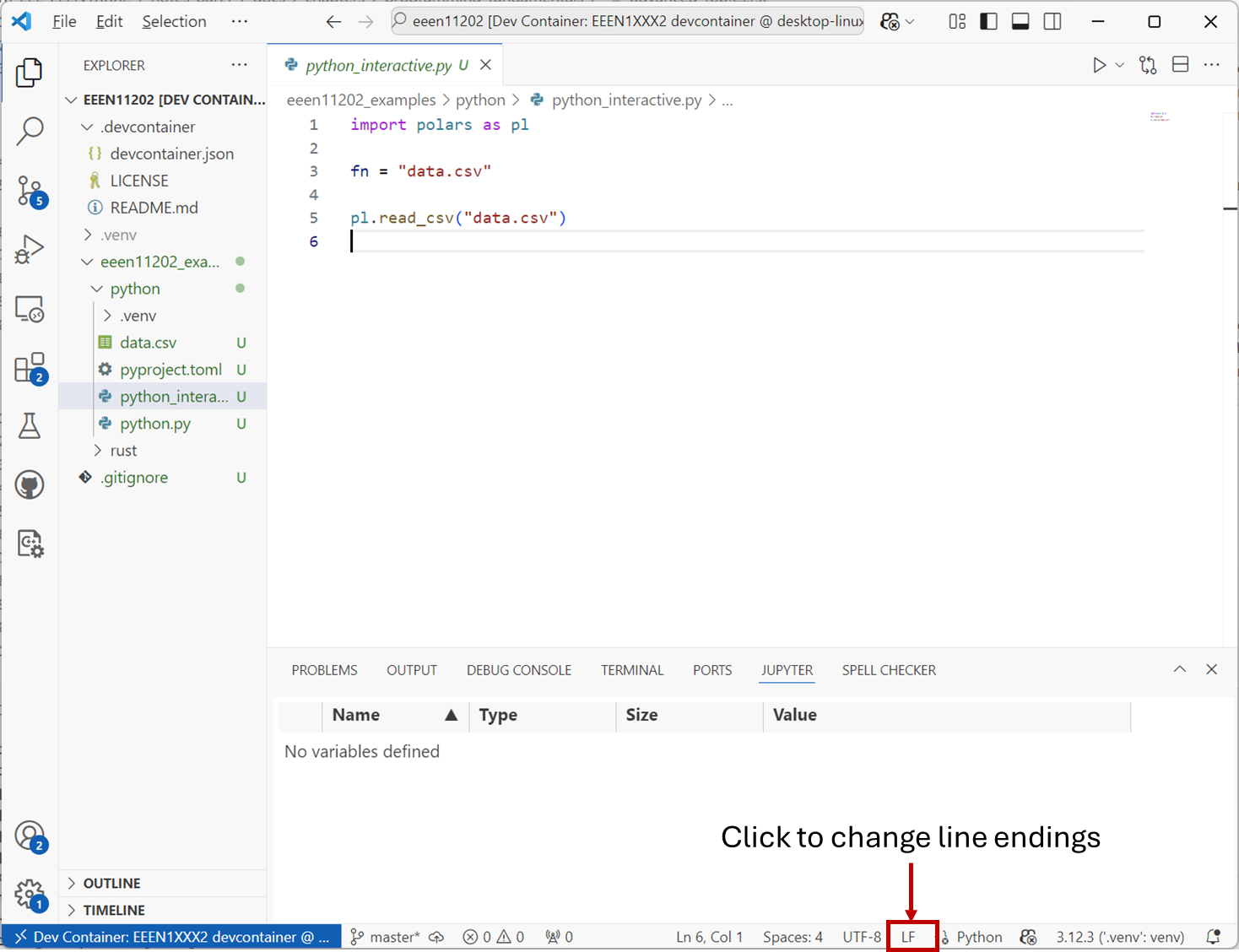
Screenshot of VSCode, software from Microsoft. See course copyright statement.
If you get a code file which doesn’t look to be displaying correctly, you may want to try changing the line endings used to see whether it fixes the issue.
6.16.2. Anonymous functions
When we discussed functions, they always had a signature line giving the same of the function and the inputs. For example, we had
def add_and_multiply(a, b):
    c = 3 * (a + b)
    return c
Here add_and_multiply is the function name. An anonymous function is when we make a function which isn’t given a name when we first define it. Sometimes these are also known as lambdas because many programming languages use the keyword lambda to define an anonymous function.
In Python, an anonymous function implementing the same add_and_multiply would be
x = lambda a, b : 3 * (a * b)
Rather than giving the function a name, we’ve stored it in variable x.
We won’t make use of anonymous functions in this course. They are useful, for example, if you want to pass a function into another function as an input.
6.16.3. Decorators
Decorators are items that go around an existing function, like a wrapper, to change its behavior. They can thus act as a shorthand to change the behavior of functions. Say for example, it was common that we wanted to run functions multiple times. Rather than changing the function, making it more complicated, we could add a decorator to change the behavior of a more simple function. In Python decorators use the @ symbol. For example in Python we might write
@run_multiple_times(3)
def add_and_multiply(a, b):
    c = 3 * (a + b)
    return c
@run_multiple_times(3) is a decorator which will change the behavior of the following function. It takes an input argument, 3 in this case. This can help give more readable code compared to changing the function itself, particularly if we have lots of different functions which all need the same behavior.
We won’t go into how to make our own decorators here. They are commonly encountered when performing unit testing to define how the test works, and so it’s important to mention them briefly here. We’ll see how to use pre-defined decorators when we cover unit testing in the lab.
6.16.4. Iterators and generators
We mentioned iterators briefly when considering for loops. Lots of objects have an iterator method built in which tells the computer how many items are stored in the object, and which comes next in sequence. It can then loop through each one of these in turn, we don’t have to count ourselves how many items are in a list (say). Again, we didn’t go into how to make an iterator. You can do, but we’ll just use the built in ones.
In Python it’s common to hear about generators as well. A generator is like an iterator, but just generates a sequence to use later, rather than actually iterating through all of the items. You can use a generator to get a list of a sequence, and put it in a variable to be used later.
For example, maybe you have code such as
my_generator = (i * i for i in range(5)) # this is the generator, it will evaluate to 0, 1, 4, 9, 16
...

for i in squares_generator:
   # put for loop code in here
This lets us separate out where we make the list of items, and where we actually iterate through them. Importantly, a generator is only actually evaluated when it’s used, not when it’s defined. It’s thus almost like we’re putting the code into my_generator rather than the list of items. This is very useful when you have a very large list you want to define at a particular point in the code, but not necessarily keep in memory until later.
We won’t particularly use generators in this course, but they’re common in Python and so important to know that they exist so that you can read about them if you need to.